Conduit Fabric

AI infrastructure I built for myself - and use every day.

LLM routing, MCP tooling, a single view of every project, goal, and the agents working on them, cross-machine, on one Cloudflare backend.

One engineer. Fully operational.

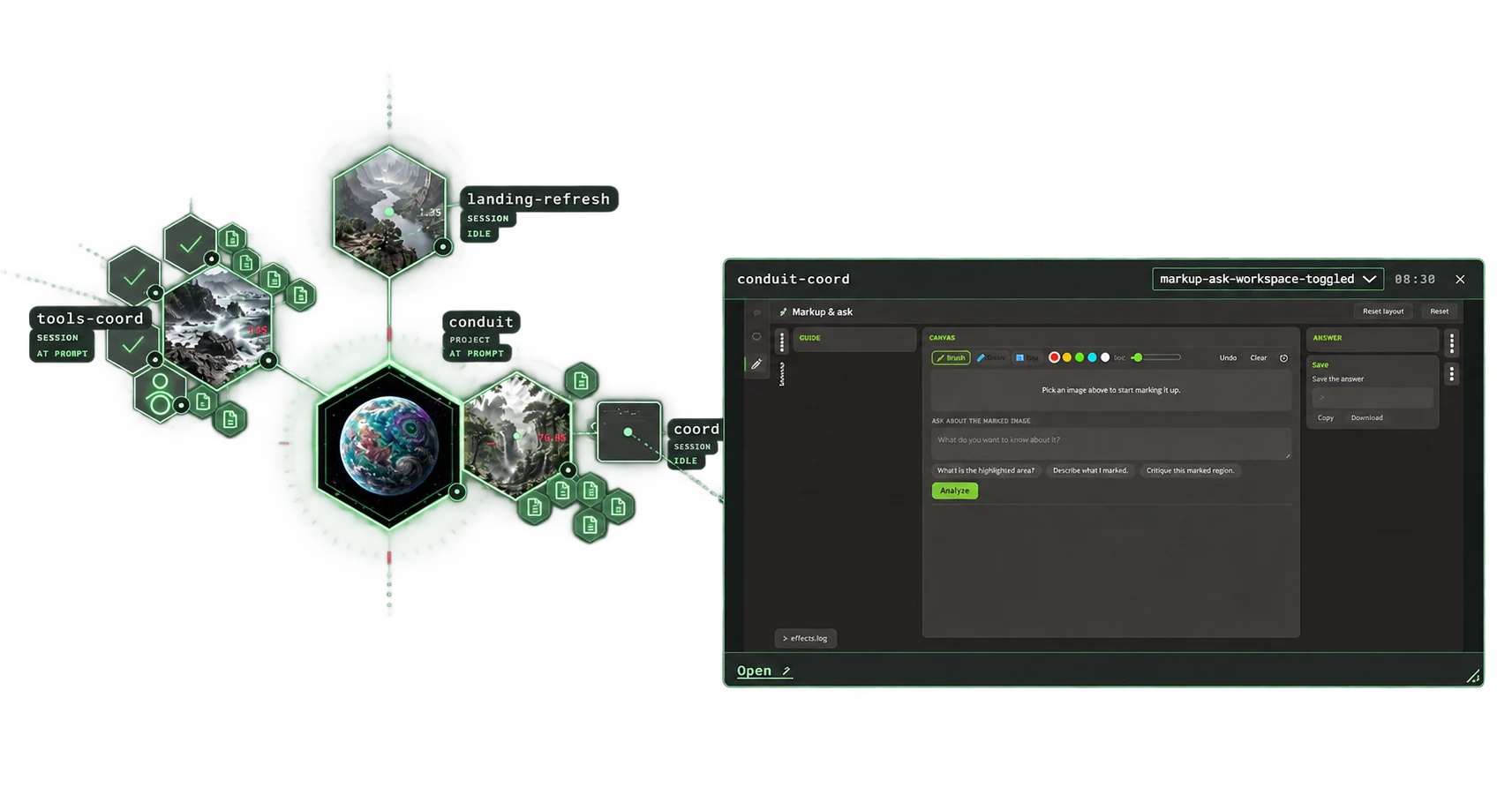
Pictured > Conduit Desktop - each center planet a Project, each child Session an in-progress goal.
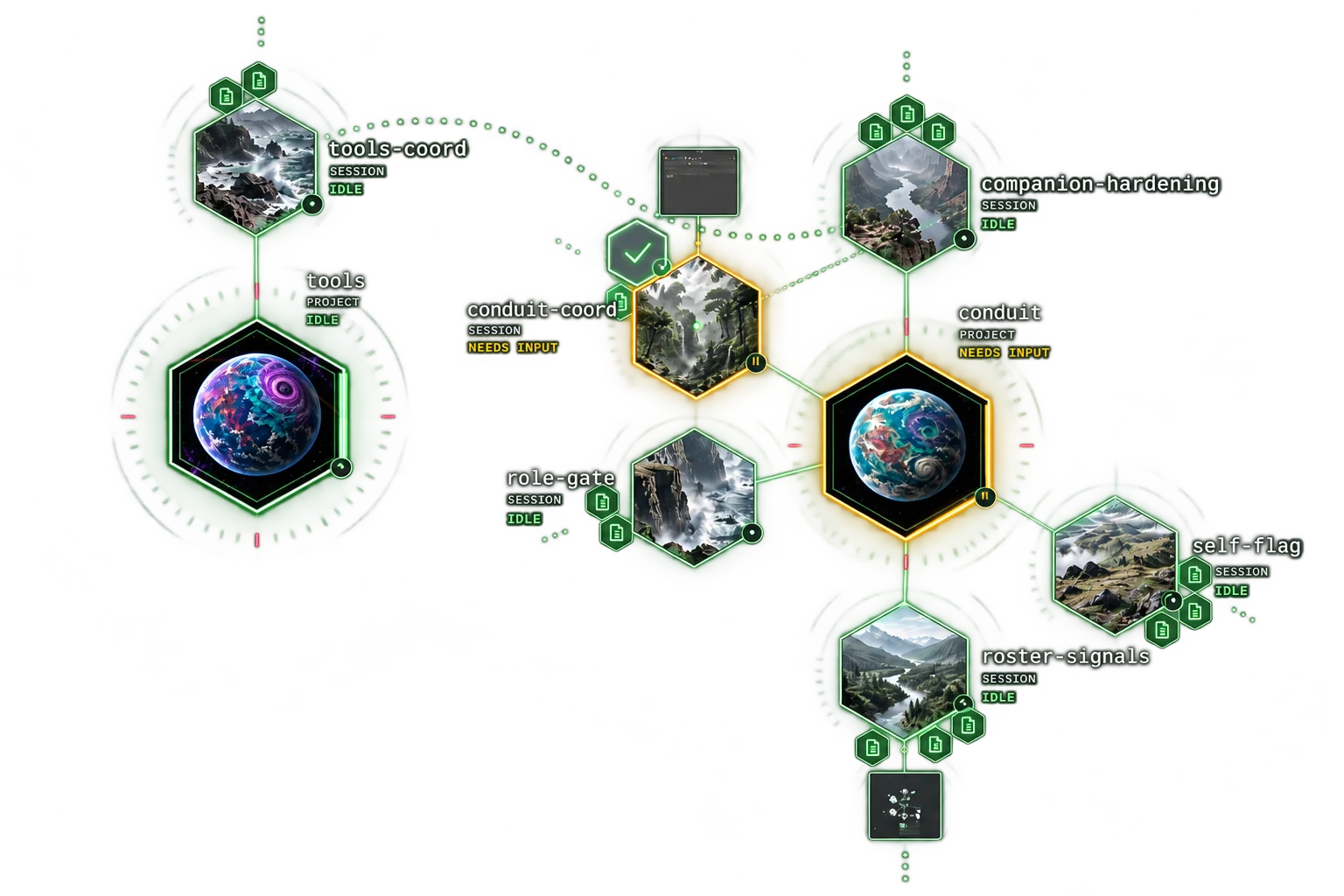
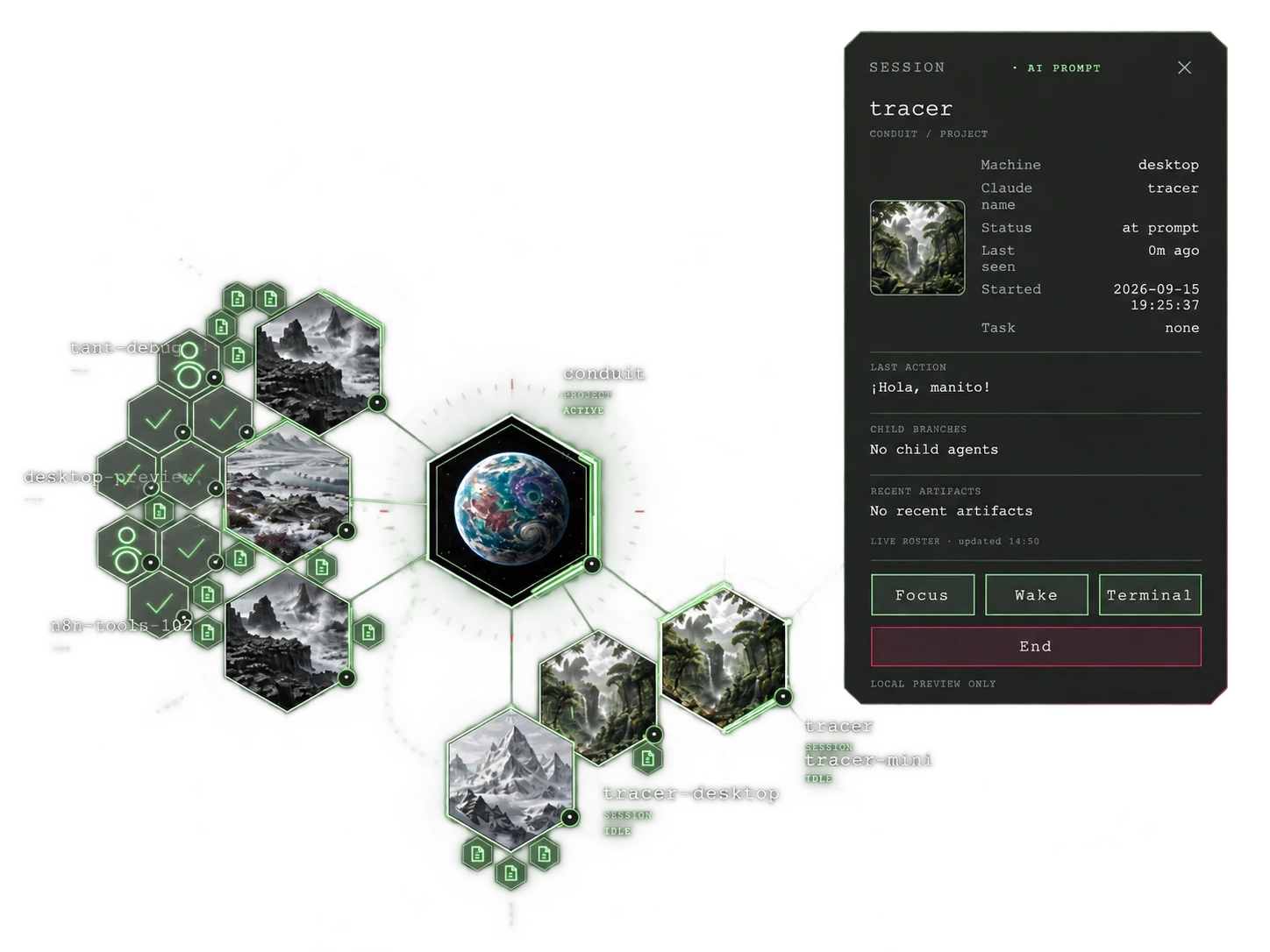
Conduit Desktop - project data and sessions needing attention Conduit Desktop - a busy project map with a session detail popup Conduit Desktop - screenshots pushed by sessions, shown beside the project map
The system

Every surface, one fabric.

Everything routes through a single Cloudflare Worker backed by D1, KV, R2, and Vectorize. No servers to patch, nothing to keep awake.

AI coding toolsMCP
AI chat appsremote MCP
Project viewbrowser
Voice assistantAndroid
Dashboardread
Machine companionhosts sessions
conduit-fabric · api.condi.dev Cloudflare Worker · 44 MCP tools · 9 Durable Object classes · Cron engine · LLM proxy · Auth
D1tasks, context, sessions
KVOAuth, config
R2media, generated files
Vectorizesemantic search
api.condi.dev - MCP server + REST API
dashboard.condi.dev - widget dashboard
tools.condi.dev - LLM arena
apps.condi.dev - app gallery, project view, file editor

Live surfaces sit behind Cloudflare Access. Happy to walk through a demo.

Capabilities

What it actually does.

Conduit Desktop: Organized from Anywhere

Secure guidance, smart limits, trust supported.

A live map of every project and the independent sessions pushing its goals forward, across my Windows, Mac, and Linux machines. A coordinator keeps each project's plan; workers take tasks and hand back structured reports with test results, flagging anything that needs my input or sign-off.

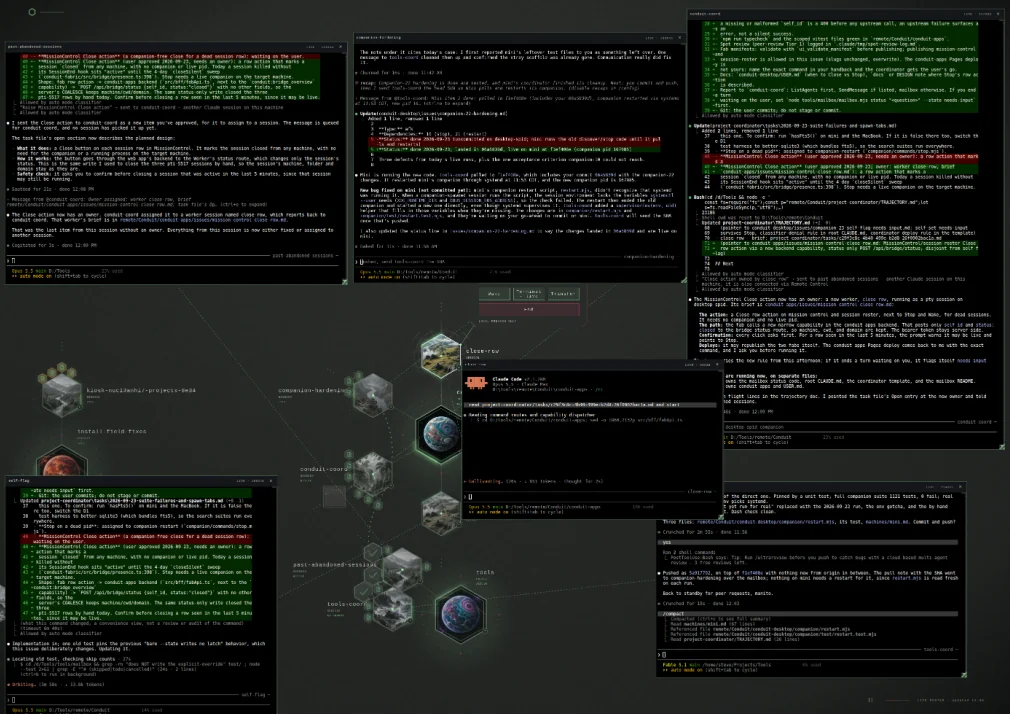
No more endless terminal tabs - a companion on each machine starts, wakes, and streams those sessions into a secure web portal, with a cloud editor for any file on any machine.

Conduit Desktop - several AI coding session terminals open in the browser around the project map

LLM orchestration

Route the same prompt to OpenAI, xAI, Gemini, and Claude with provider-specific adapters. Compare responses side by side, pick the best output, switch providers without touching application code. The arena at tools.condi.dev makes this interactive.

// fan out across all four providers
const results = await send_to_llm({
  prompt: "Review this PR for security issues",
  llm: "all", // claude, openai, gemini, grok
  reasoning: true
});

// → parallel fetch, per-provider timeout
// → responses returned as they arrive
// → arena UI: compare side-by-side or consolidate

Metrics & observability

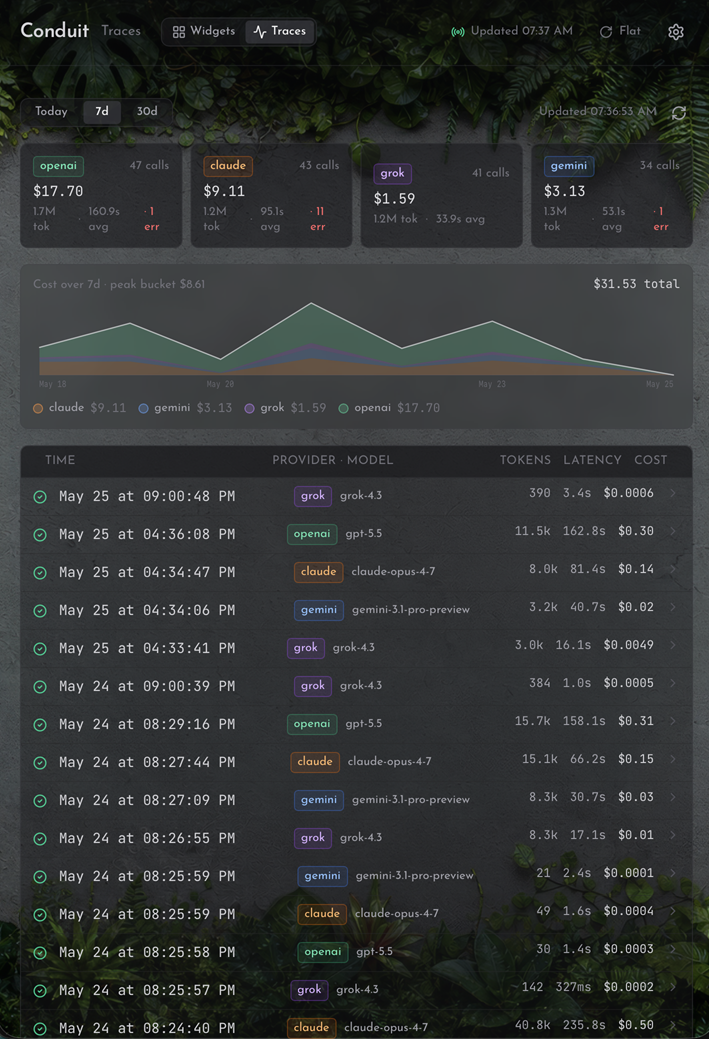
Every send_to_llm call is traced: cost, tokens, and latency, stamped per provider and model. A live spend chart and a per-call ledger turn "what is this costing me" into a number, not a guess.

Conduit LLM traces - per-call cost, tokens, and latency across providers

Dashboard & automation

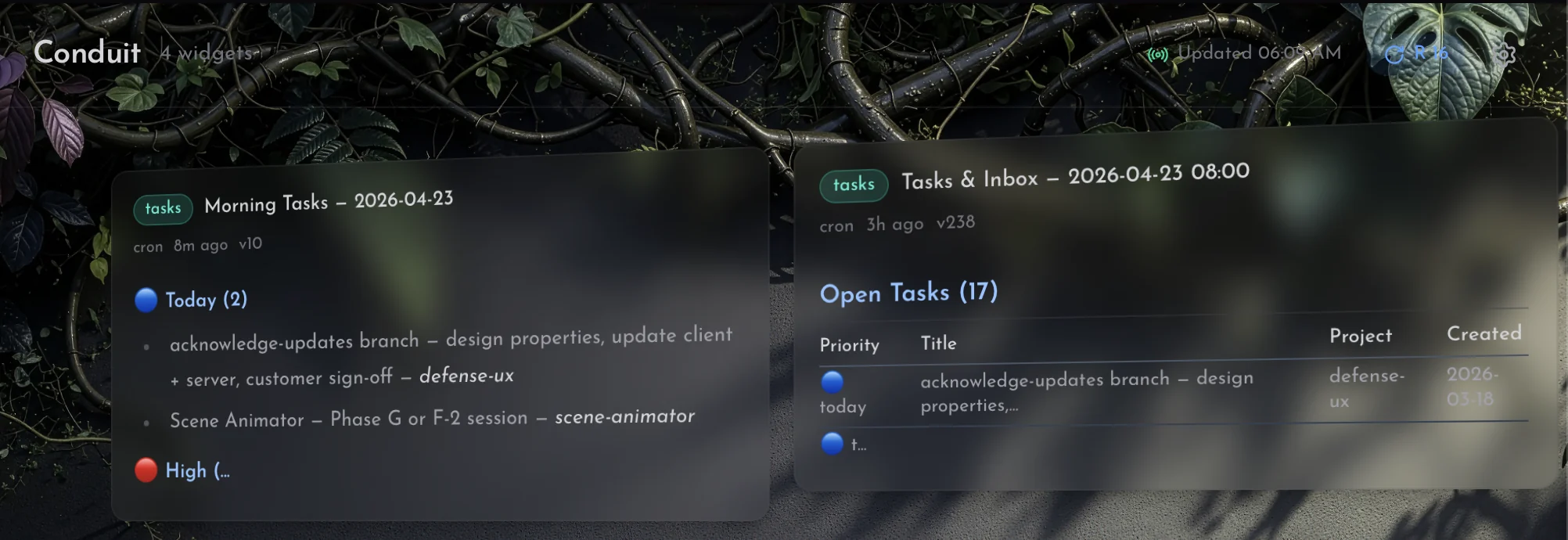
A slot-based, cron-driven information dashboard. Morning tasks, inbox triage, and an evening recap, each generated by a scheduled AI job and published to a named widget slot. ETag-cached polling keeps it snappy; a time-travel archive scrolls back through previous versions.

Dashboard - morning tasks and the tasks and inbox widget, each published by a scheduled job

MCP tool server

44 tools exposed via Model Context Protocol: task tracking, project management, context capture and hybrid search, cross-model workflows, email, dashboard and app publishing, media generation, and the session bridge. Connected to my AI coding tools and chat apps as a live integration, not a demo.

// MCP tool surface
create_task({ title, scope, priority, project, tags })
ingest_context({ kind, content, tags, project })
search_context({ query, filters })
list_projects({ kind, status })
link_items({ from, to, relation })
send_to_llm({ prompt, providers, reasoning })
send_email({ to, subject, markdown })
dashboard_publish({ slot, category, content })
triage_inbox({ limit })
submit_generation({ capability, prompt })
ui_publish_fab({ manifest })

// plus: get_tasks, update_task, get_context, ...

Context capture & retrieval

Content goes in messy - meeting notes, research dumps, raw captures. Conduit tags and distills it into LLM-ready context, chunks it for RAG retrieval, and stores relations as a first-class graph so references don't get lost. Retrieval is hybrid: full-text search and semantic vectors, fused and reranked, so a query finds the note that means it, not only the one that repeats its words.

// messy input
await ingest_context({
  title: "standup notes 4/18",
  content: raw_dump,
  tags: ["work", "defense-ux"]
});

// retrieval pipeline
// → LLM-auto-tagged and distilled
// → chunked for RAG retrieval
// → FTS5 full-text + Vectorize semantic lanes
// → fused and reranked per query
// → graph: spawned / blocks / references
Proof of life

This isn't a side project.

Conduit handles task management, context capture, multi-provider LLM routing, and the coding sessions themselves across every project I run. Ten cron triggers run seven jobs: task triage, the evening recap, the voice assistant's daily brief and nightly journal, and cleanup.

The MCP server is connected to my AI coding tools and chat apps right now. Work flows through Conduit.

44
MCP tools
10
Cron triggers
4
LLM providers
6,600+
Automated tests
About

Steve Biggs

20+ years building defense software, simulation systems, and training platforms. Currently exploring what happens when one engineer treats AI tooling as infrastructure instead of a novelty.

Before Conduit, my AI setup was a pile of disjointed MCP servers - hard to update, capabilities scattered across terminals, apps, and browsers, nothing speaking to anything else. Conduit started as the cleanup. It turned into the system I work through every day: one place to capture context, track tasks, route prompts across providers, and publish back to a dashboard I actually read.

Huntsville, AL · Built on Cloudflare
Get in touch

Curious about the stack?

Want to talk AI-augmented workflows, MCP tooling, or Cloudflare architecture?

conduit@condi.dev